Komainu
2022-2024 | Computational design | 3D scan/Gh
In 2022, I used a photogrammetry app on my iPhone to 3D scan the komainu statues at Nagakura Shrine in Mie. Later, I used Grasshopper Python to manipulate the data and experiment with mesh deformations.
3D files: Printables
Grasshopper:
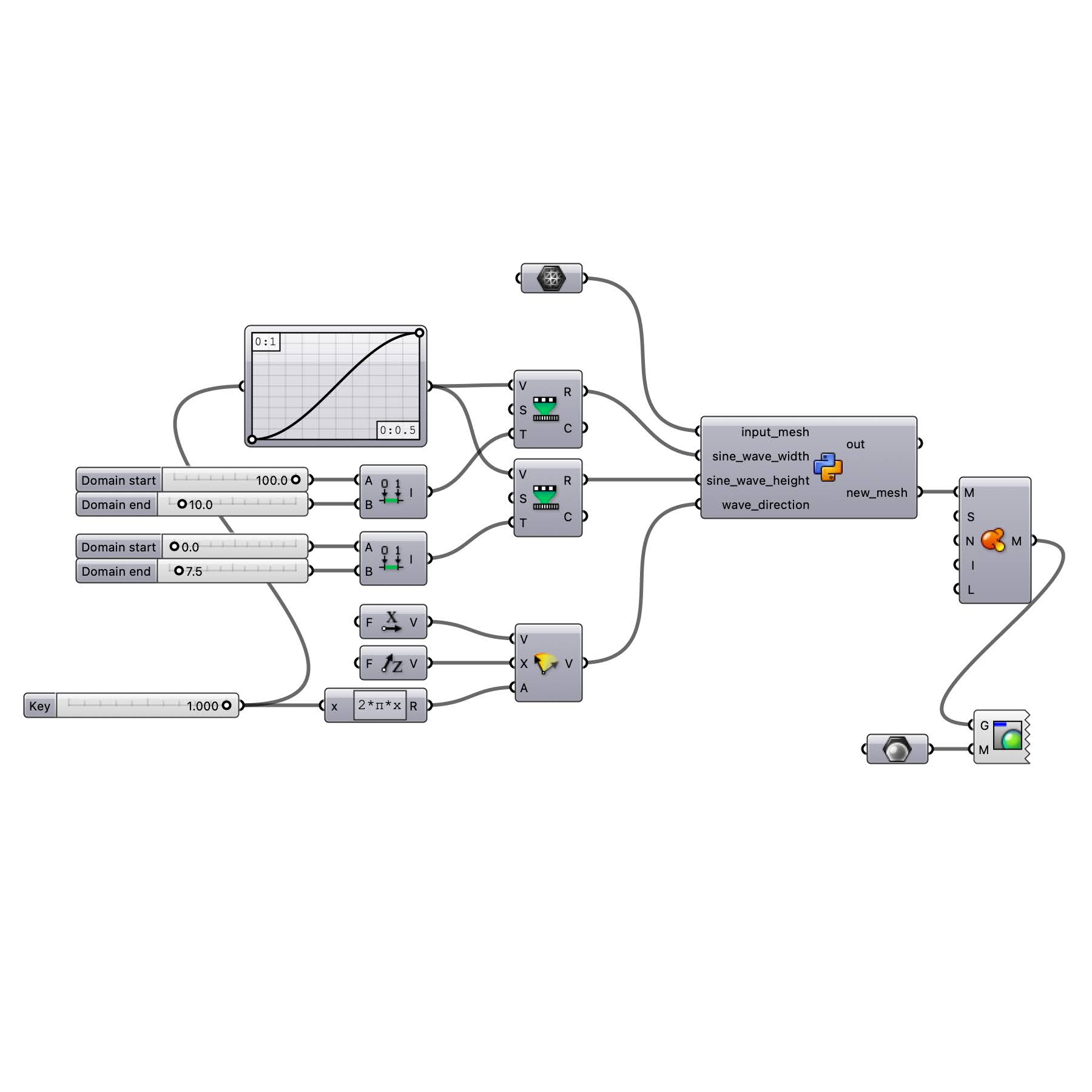
Grasshopper Python:
import Rhino.Geometry as rg
import math

def generate_sine_wave(mesh, width, height, direction):
    if not mesh.IsValid:
        return None

    # Calculate direction vector and orthogonal vector for sine wave calculation
    dir_vector = rg.Vector3d(direction[0], direction[1], direction[2])
    dir_vector.Unitize()

    orthogonal_vector = rg.Vector3d(0, 0, 1)  # Assume a default orthogonal vector along the Z-axis

    if abs(dir_vector.Z) == 1:
        orthogonal_vector = rg.Vector3d(1, 0, 0)  # Use X-axis if direction is along Z-axis

    orthogonal_vector = rg.Vector3d.CrossProduct(dir_vector, orthogonal_vector)
    orthogonal_vector.Unitize()

    # Apply sine wave transformation to mesh vertices
    vertices = mesh.Vertices.ToPoint3dArray()
    new_vertices = []

    for v in vertices:
        # Calculate the distance along the wave direction
        distance = rg.Vector3d.Multiply(orthogonal_vector, rg.Vector3d(v))

        # Calculate sine wave value
        sine_value = height * math.sin(distance / width * 2 * math.pi)

        # Apply the sine wave to the vertex position
        new_vertex = rg.Point3d(v.X, v.Y, v.Z + sine_value)

        new_vertices.append(new_vertex)

    # Create a new mesh with the modified vertices
    new_mesh = rg.Mesh()
    for v in new_vertices:
        new_mesh.Vertices.Add(v)

    for face in mesh.Faces:
        if face.IsQuad:
            new_mesh.Faces.AddFace(face.A, face.B, face.C, face.D)
        else:
            new_mesh.Faces.AddFace(face.A, face.B, face.C)

    return new_mesh


# Generate sine wave on mesh
new_mesh = generate_sine_wave(input_mesh, sine_wave_width, sine_wave_height, wave_direction)